The Road Ahead For Battlefield 1: Expansions And Celebrations
1
We at DICE are committed to improving the overall Battlefield 4 multiplayer experience for our players. Some issues, commonly referenced in conjunction to “netcode” are preventing Battlefield 4 from performing optimally for everyone, and with this post we would like to explain what we are doing to address these problems.
Fixing the commonly nicknamed “netcode issues” – problems ranging between faulty networking latency compensation and glitches in the gameplay simulation itself – is one of the top priorities for DICE. We’d like to take a moment to discuss how we are addressing these issues, as this is a very hot topic for many of our fans.
We are working on fixing glitches in your immediate interactions with the game world: the way you move and shoot, the feedback when you’re hit, and the way other players’ actions are shown on your screen.
The game receives updates from the game server and displays these to the player using a system called latency compensation – this system makes sure players move around naturally on your screen when network updates arrive. We have found and fixed several issues with latency compensation, and thereby decreased the impressions of “one hit kills” in the game.
We have also fixed several issues that could lead to rubber banding, and we are working on fixing several more. Below you’ll find a detailed list of the issues we are focusing on, or have already adjusted in-game. We hope this gives you more insight into the “netcode” issues and we will continue to keep you updated on top issues.
What we are Fixing or Investigating
Rubber banding
We have made several server optimizations that have decreased rubber banding for some players. To further address the issue, there are upcoming fixes for packet loss and a customize screen bug, both connected to the rubber banding issue. Furthermore, we will continue to collect data to pinpoint exactly when and why rubber banding is occurring.
Kill camera delay / Player death sync
On some occasions, the kill camera would trigger before the game client displayed the last portion of damage being dealt, giving players the impression that they died too early. There were also issues with blood effects, damage indicators, and the health bar in the HUD being out of sync. A fix for this will be included in the next game update.
Tickrate
Players have been asking whether the tickrate – how often the server will update the game world – in Battlefield 4 will be higher in the future. Though we haven’t got any immediate plans to increase the tickrate at this moment, we are exploring the possibilities of raising the tickrate on specific servers.
No registered damage
We are aware of the bug where players have been firing at their opponent and not doing damage. In the February 13 game update for PC, we added a piece of code that enables us to specifically track instances where this would occur. We are currently looking at when this issue is triggered, and what causes it. The data that we receive will help us to further improve the firefights in the future.
Instant death while sprinting
At certain occasions while walking or sprinting, a player could get catapulted at high speed which would cause death if any object was standing in the way. This was caused by a mathematical error in the character physics code, and we have a fix prepared for an upcoming patch.
Various Items
In addition to these items, there are also fixes coming for issues with Levolution being out of sync, shots appearing to be fired in the wrong direction, and vehicles outside the infantry area not taking damage when fired at. Also, we have introduced new in-game icons that will help you, and us, to troubleshoot network related problems that could cause an inconsistent multiplayer experience.
Network Troubleshooting Icons
With the January 30-31 game updates, we’ve introduced two new icons to the Battlefield 4 HUD (head-up display). These were added to the game as a way for us, and the players, to more easily troubleshoot common network-related issues that may have negative effects on the multiplayer experience.

The first icon, seen at the top in the shape of a clock, indicates that your connection to the server is lagging. There can be several reasons for this. For example, it could mean that someone else is using your connection while you are playing, but it could also mean that there is a network problem that occurred somewhere between you and the server. The effect of such lag is that it will take a bit longer for you to see what is happening in the game world. If this icon is frequently blinking, you might want to try a different server or see if you can decrease the load on your Internet connection.

The second icon, at the bottom, shows four squares that indicate packet loss. When you see this icon, your connection to the server is experiencing lost packets, which means that information is failing to reach its destination, either when your game client sends it to the server or when the server sends the information to you. Please keep in mind that packets always get lost on the Internet and that you should not be alarmed if you’re seeing this icon blinking once or twice. If you have a large amount of packet loss and see the icon often, you will probably experience game “hiccups” sometimes – action will stop for a moment, then speed ahead to catch up.
What we have Fixed
Kill card shows 0 health
Kill card sometimes incorrectly displays 0 health, despite the enemy being alive. This could happen when a portion of damage dealt was rejected by the server, since the bullets that caused it were fired after the point of death for the firing player – the kill card would show the health as predicted by your game client, rather than the health confirmed by the server. An improvement that decreased the rate at which this happens went live for PC on Feb 13, and will be included in the next game update for all the platforms.
Broken collision
We have fixed instances of broken collision that made it impossible for players to shoot past broken objects, such as the collapsed chimney on Zavod 311.
Crosshair disappearing, resulting in hit markers disappearing
In firefights, players on PC could experience their crosshair disappearing, resulting in hit markers also disappearing. This would happen when certain gadgets were deployed by other players. A fix for this is now live.
Hit impact sounds
Impact sounds did not match the number of bullet impacts, causing players to feel that they died too quickly. An improvement to this went live for PC on February 13, and will be included in the next update for all the other platforms. The cooldown time for letting bullet hits trigger the sound has been decreased considerably, so players will now hear every bullet that hits them.
Headshot icon
We have re-introduced the headshot icon to help players understand when they get killed by a headshot, something that usually results in an instant death. The headshot icon went live in the January 30-31 game update for all platforms.
We want to assure you that we are constantly investigating, or already in the process of updating, all these items and several more that you’ve had concerns with – and that we will continue to do so with your help. Please continue to send us your feedback, and thank you for your continued support.
Remember to visit the Battlefield 4 Control Room regularly for all intel on game updates.
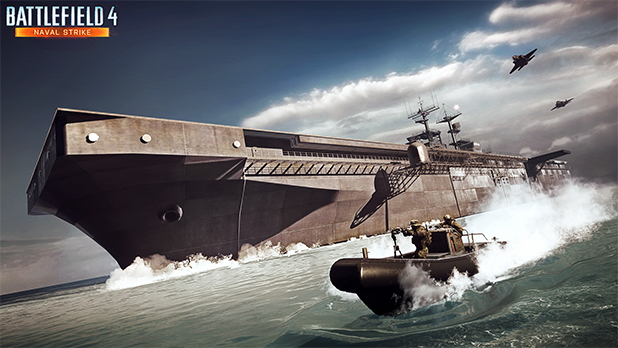
Battlefield 4 Naval Strike takes the dramatic water-based combat introduced in Battlefield 4 to four all-new maps set in the South China Sea. Take control over new weapons and gadgets, pilot the new hovercraft vehicle, and experience the Carrier Assault game mode in this intense expansion pack. Read on for details and the first official screenshots.
 Take the Fight to the Sea
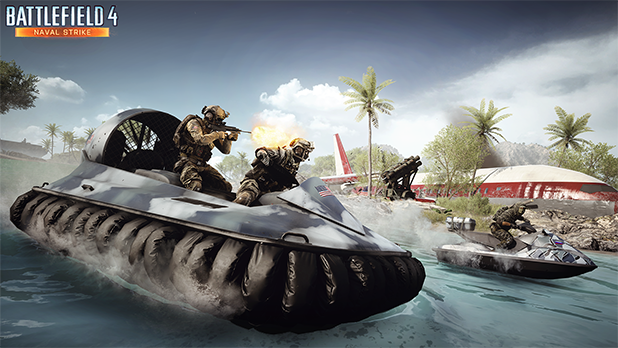
Water-based combat has always been a vital part of the all-out war of Battlefield 4, and with Battlefield 4 Naval Strike the fights at sea are more intense than ever. With the introduction of the amphibious hovercraft vehicle, your possibilities to dominate the sea will be even greater.
 Four All-New Multiplayer Maps
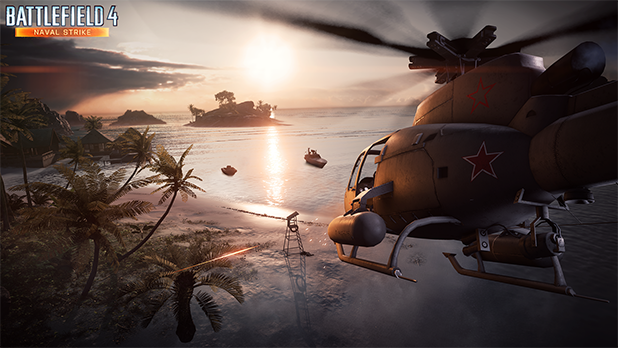
Blow open a crashed passenger plane and capture fishing villages across the tropical Lost Islands. Drop a submarine on your foes as you infiltrate a naval base or rush between shipping docks and rocky islands on the massive Wave Breaker map. Wage war across stormy seas in the largest ocean stretch in a Battlefield map yet with Nansha Strike. Storm an abandoned cliff-side resort, or get lost in the breathtaking vistas in Operation Mortar.
 A Classic Game Mode Re-Imagined
Battlefield 4 Naval Strike lets you re-live the classic Titan Mode of Battlefield 2142, with the introduction of the Carrier Assault game mode. Stay tuned to the Battlefield Blog for more details on this re-imagining of a classic.
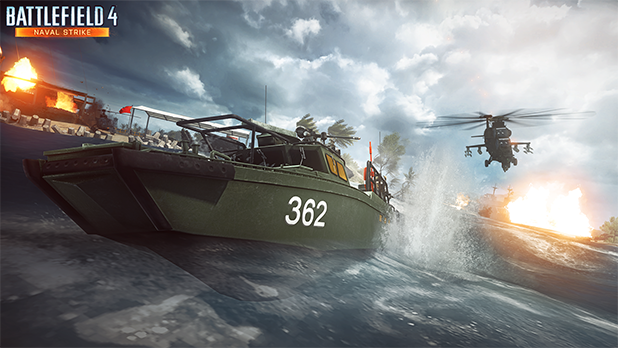
Battlefield 4 Naval Strike will be released late March for Battlefield 4 Premium members. To get a two-week head start with Battlefield 4 Naval Strike and other upcoming Battlefield 4 expansion packs, secure a Battlefield 4 Premium membership.
Fans of Battlefield 4 can now come together as one persistent unit and show the world where they belong. Rolling out starting February 27 as part of the Player Appreciation Month, the first iteration of Platoons is coming to Battlefield 4.
UPDATE:
Platoons are now available for all Battlelog users. You will find it in the Soldier dropdown menu, as well as on a new tile on Home. Leave feedback for Platoons in this Battlelog forum thread. Furthermore, you can now recruit members, or find the Platoon for you, on the Battlelog Forum under “Platoons”.
Show the World Where You Belong
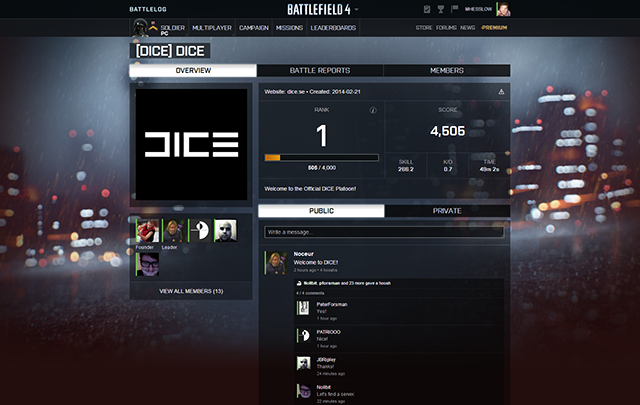
Platoons in Battlefield 4 is a way for you and your friends to get together, organize yourselves, communicate, and fight together to improve your Platoon. Whether you want to share experiences in a more private space, or show the world who has the most skilled, most awesome Battlefield 4 team around, Platoons is the way to go.
Platoons in a Nutshell
So what can you expect when Platoons launches during this and next week? Let’s look at the main features you will have access to in the first iteration of Platoons:
• The ability to create and join a Platoon for up to 100 members.
• Basic Platoon management such as inviting, applying, and promoting/demoting members.
• A private and public Platoon feed, where you can communicate and coordinate.
• A Platoon emblem and tag that all members can easily apply.
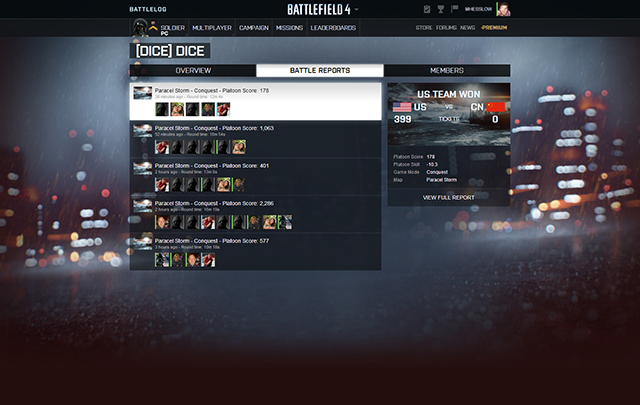
• The ability to earn stats for your Platoon and rank it up, and see all the matches you played together.
Our goal is to make it both fun and easy for you to get organized and be part of the best Battlefield 4 Platoon ever created. Whether you want to discuss your past games and plan the next, or get competitive and see who your Platoon is up against, the feature will be as powerful and intuitive as possible.
Make Your Platoon Stand Out
There will be several different customization options for your Platoon. Apart from setting a Platoon name and 4-character tag, you will of course also be able to design your very own Platoon emblem, which all members can easily use as their own. If the emblem gets updated, for example, you don’t need to worry; the changes will automatically be applied and your Platoon tag and emblem will without extra effort follow you in-game. Besides that, you can write a presentation text for your Platoon and set the address for your website, if your Platoon has one.
Earn Stats for your Platoon and Rank Up
Platoons for Battlefield 4 also feature a brand new progression and stats system. In order to earn stats, four players from the same active Platoon must play together in the same round of BF4, and then your core stats will be either averaged or accumulated and applied to the Platoon. Best of all, you will earn score for your Platoon, so you can rank it up (initially, ranks 1-10 will be available, with more ranks to come). Other stats such as Kill/Death Ratio, Score per Minute, and Skill will also be shown for your Platoon.
 Discuss your Matches and Have Fun in the Feed
The core way to communicate within your Platoon is through the feed, which has both a public and a private section. In the public section, you can allow anyone to leave a message, whereas the private area is for members only. All messages can be commented on, leaders will be able to sticky messages to the top of the feed, and perhaps best of all, you can subscribe to messages, so that every time someone comments on it, you will receive a notification, so you can return to follow up.
Rolling out on February 27
We will begin to open up for Platoons on Battlelog on February 27, with some players getting access slightly before others in order to ensure proper feature stability. When it is launched during this week and next, everyone will be able to join a Platoon, but until March 13, Battlefield 4 Premium and a soldier with at least rank 10 will be required to create your own Platoon. The system is also completely platform agnostic, so anyone can join a Platoon no matter where they play Battlefield 4.
It is important for us to clarify that this is the first iteration of Platoons. We will continue to work on the feature to refine and expand it, but now we will finally have the opportunity to see it in action and get some real-world feedback. Now is the time for all our players to tell us what they like, what they want improved, and what they want to see next.
Don’t hesitate to tell us what you expect from the upcoming feature, and what can be improved once it’s live. We appreciate your questions and feedback!
Updated March 04: Note that the Player Appreciation Month is over and that you can’t download these shortcut kits anymore.
One of the many giveaways during the Battlefield 4 Player Appreciation Month are the Shortcut Kits, voluntary bundles that will unlock various weapons for Battlefield 4 (the base game), allowing you to make up for lost time, or just catch up if you’re new to the game. The Shortcut Kits are now available for download at no cost for a limited time.
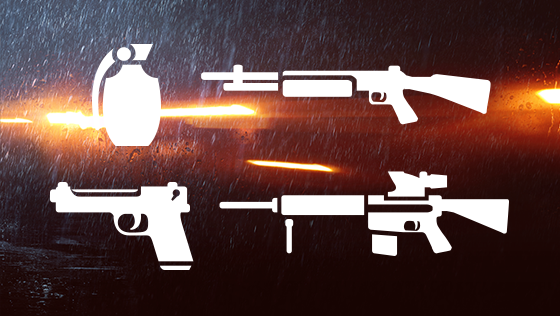
Battlefield 4 Premium members will get access to two special Shortcut Kits, on top of two other Shortcut Kits accessible to all Battlefield 4 owners. See below for the handout schedule.
February 18 to February 24 (EXPIRED)
Shortcut Kit: Hand Guns
Battlefield 4 Premium Shortcut Kit: DMR’s
February 25 to March 4 (EXPIRED)
Shortcut Kit: Grenades
Battlefield 4 Premium Shortcut Kit: Shotguns
How to claim your Shortcut Kits
Console Player:
PC Player:
PC Player (Battlefield 4 Premium Member):
It is time for a new DICE Community Mission where we once again challenge the Battlefield 4 players to collectively achieve great deeds on the Battlefield. This time, we are putting your team play skills in Conquest and Domination to the test.
We want you to participate in the capture of 100 million objectives in 5 days.
This community mission is active between February 21, 7AM PST/4PM CET and February 26, 7AM PST/4PM CET.
If the Community Mission is completed in time, all participating players across all formats will be rewarded with a Gold Battlepack (entitled to players’ Origin accounts on February 27). Note that the Capture the Flag game mode isn’t part of this mission.
You will be able to track the progress of this mission here on Battlelog under the “Missions” tab. The results will be presented on the Battlefield Blog on February 26. Now, go get those control points!


